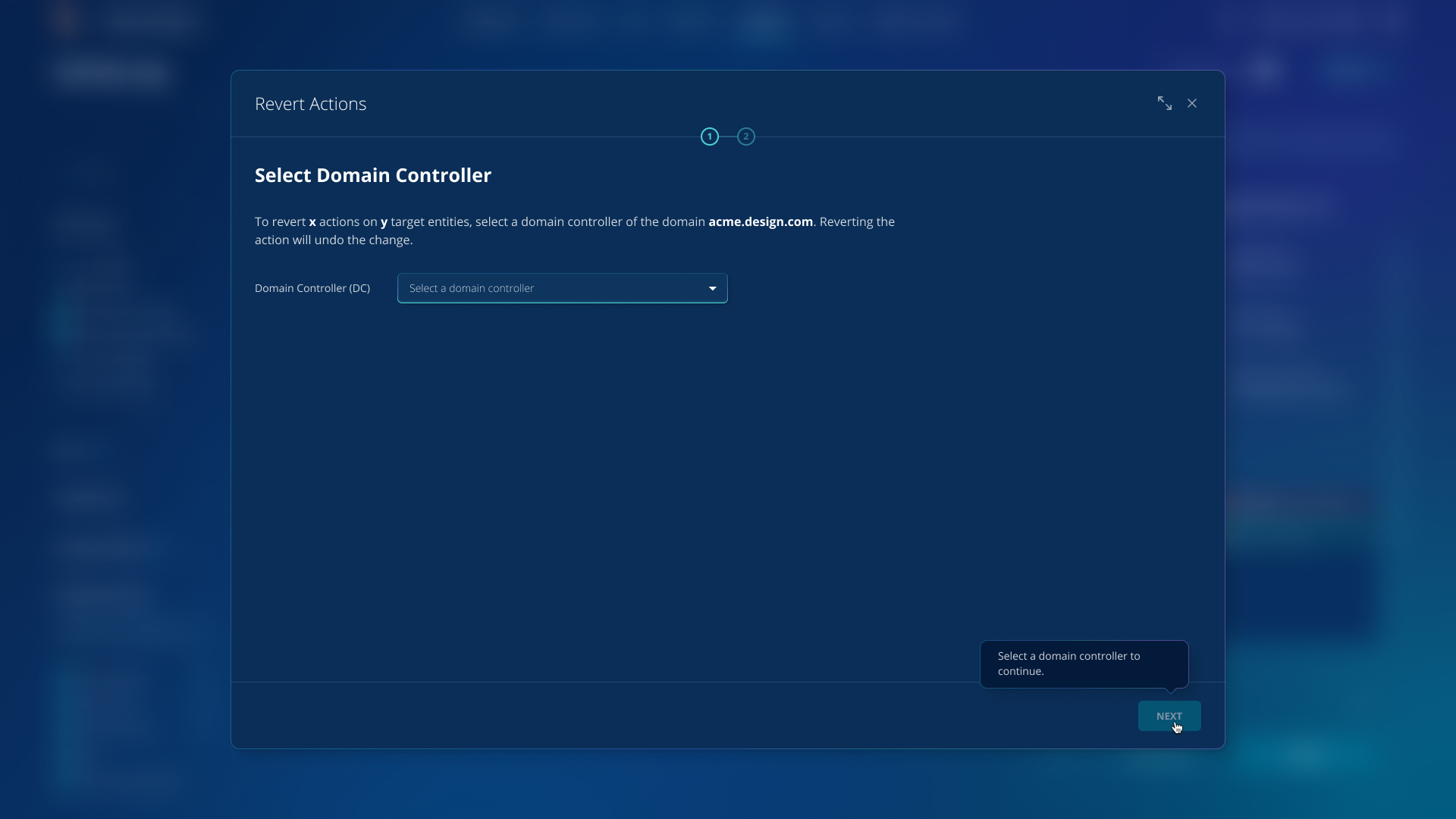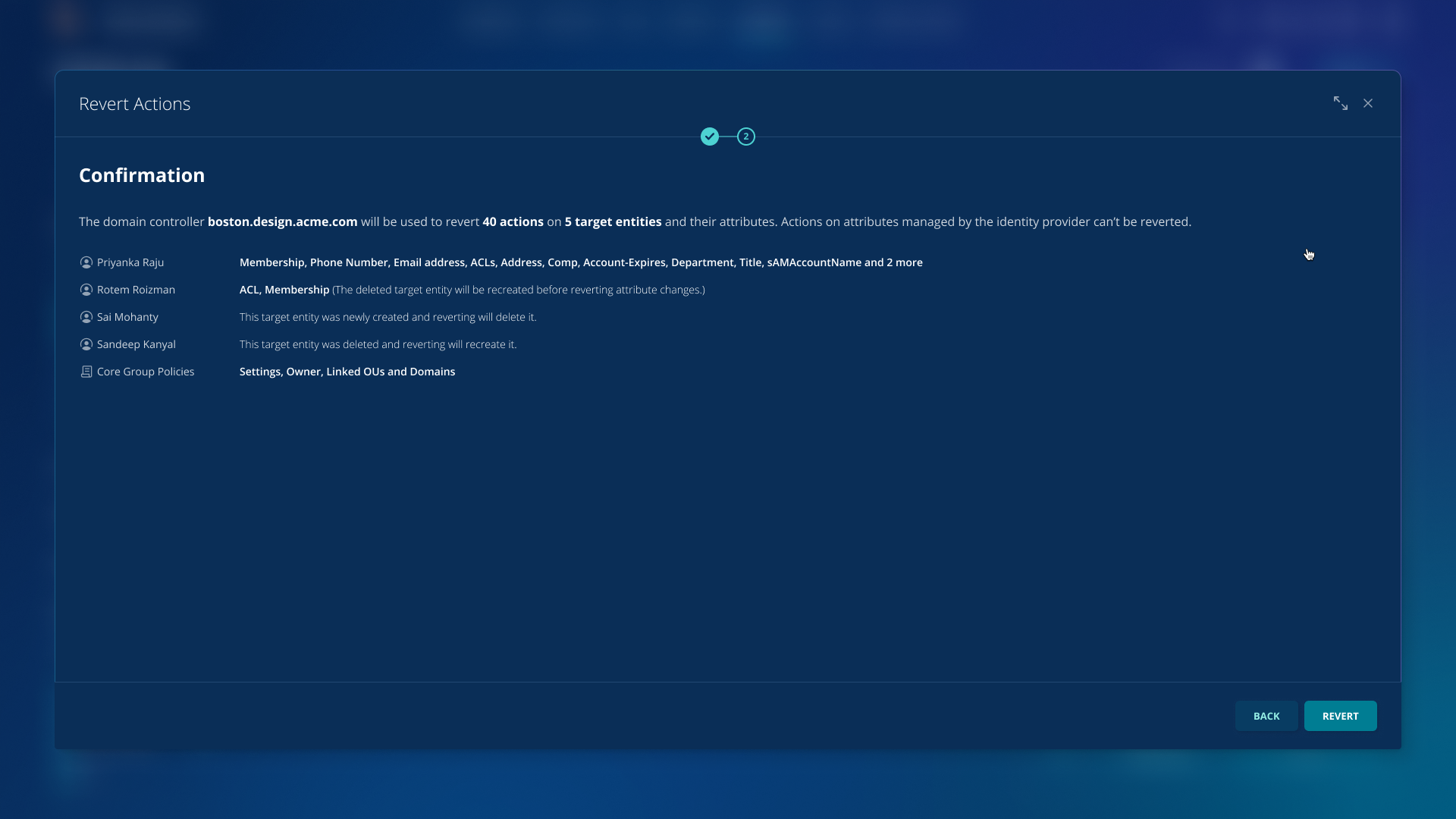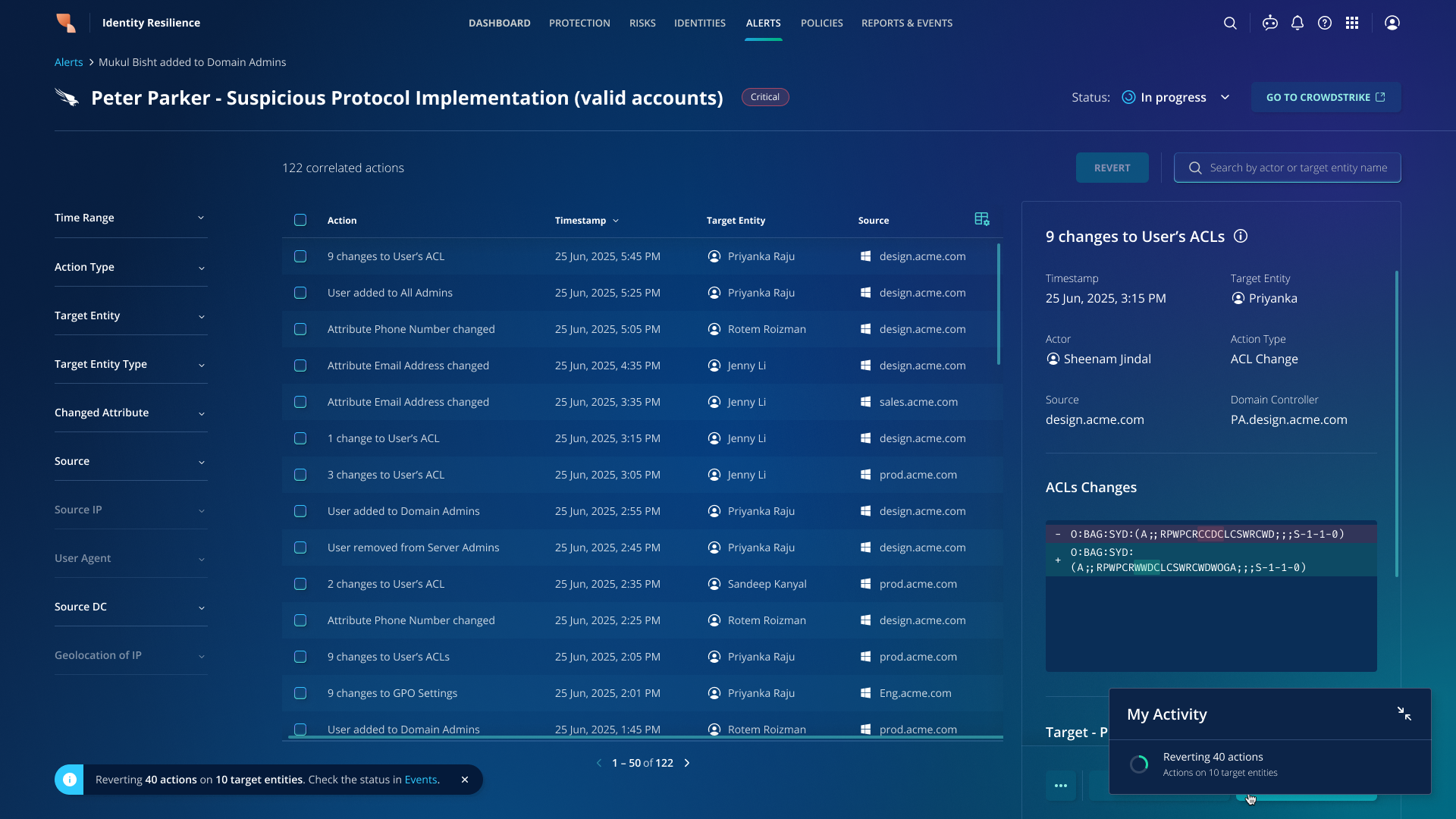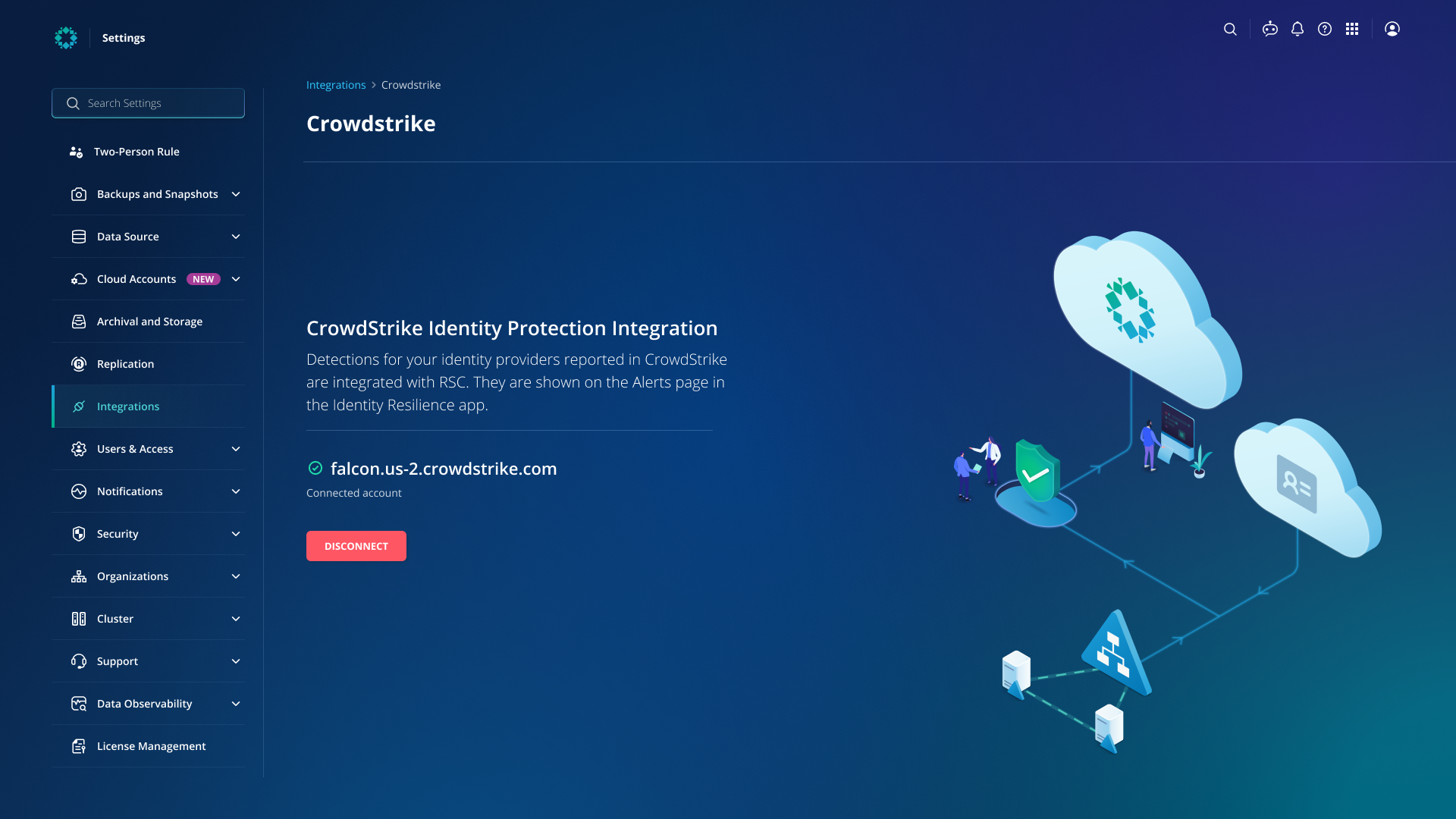
Rubrik Identity Resilience Dashboard 2.0
From posture monitoring to actionable investigation
Overview
What is identity?
A digital identity is the record a company uses to recognise a person or an automated service. It can hold an account name, sign-in method, groups, and access information.
What does Rubrik Identity Resilience protect?
The identity provider manages access; Rubrik helps protect the identities and access rules inside it. Active Directory, Entra ID, or Okta stores accounts and helps people sign in. Rubrik Identity Resilience gives admins a way to see risk, investigate suspicious changes, and respond.
Let’s understand the existing dashboard.
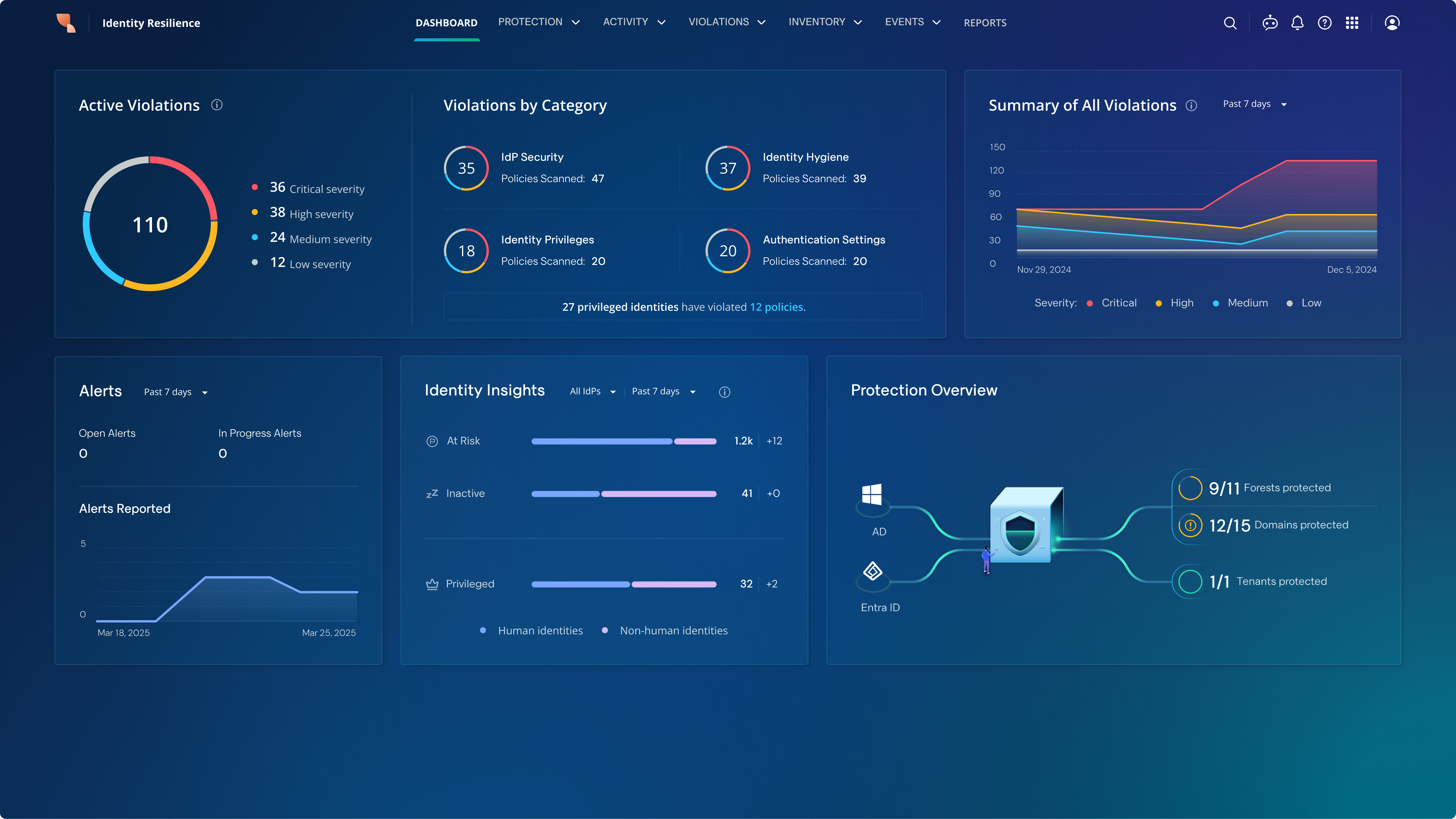
- Active policy violations Shows how many policies are currently violated, their severity and categories, and whether violations are rising or falling.
- Alerts Shows open and in-progress alerts alongside the recent alert trend, helping admins spot issues that need attention.
- Identity insights Summarizes identities that may need review, including at-risk, inactive, privileged, and highly sensitive accounts
Problem Space
When the admin needs to investigate a change
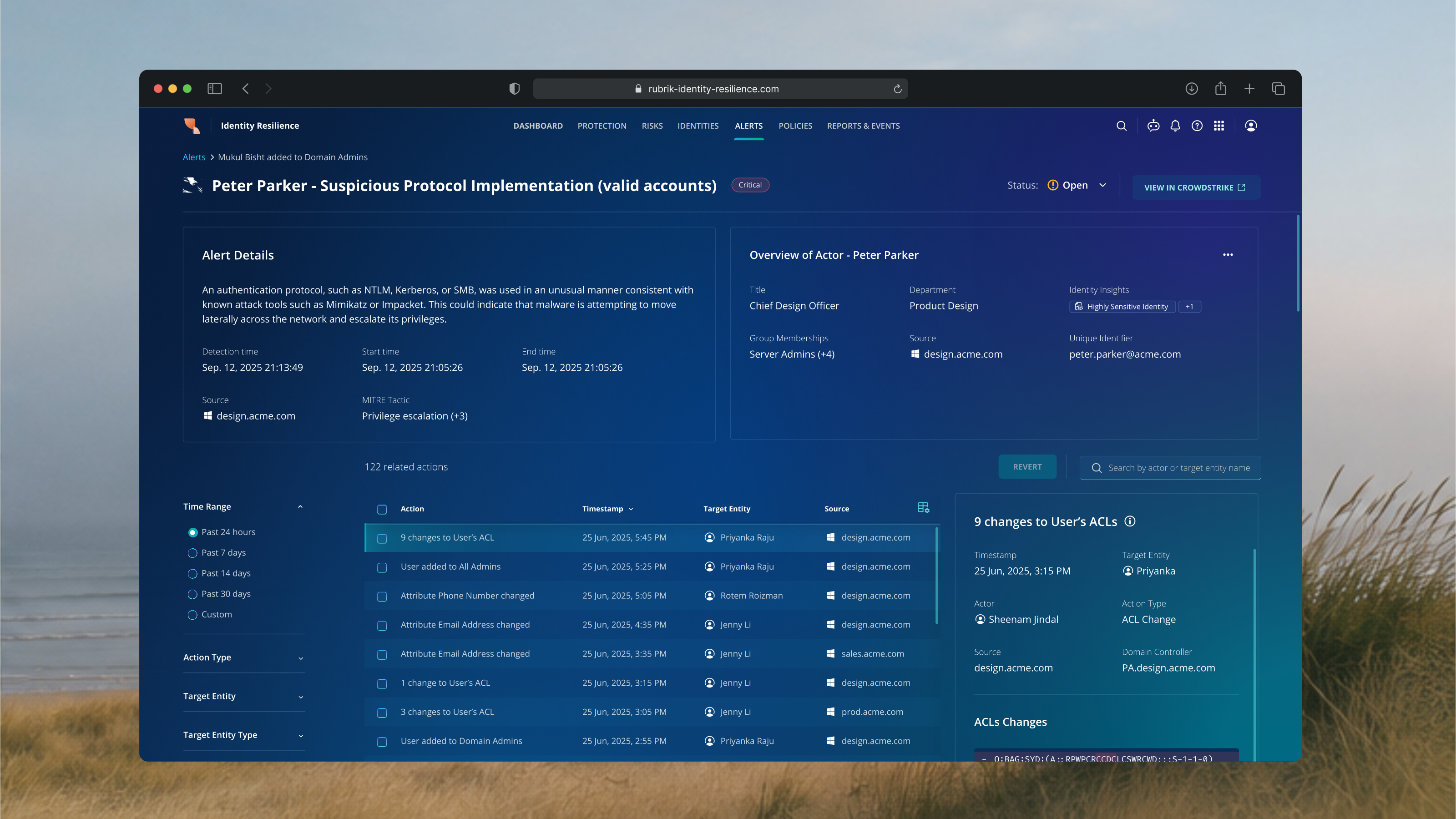
What changed? When did it happen? Who made the change?
“The dashboard shows posture, but the admin has to move into the Activity Log to connect these answers.”
Problem with current dashboard
The current dashboard was designed for posture monitoring, but now, for admins, it misses core operational use cases.
That helped answer “What is wrong with the environment?”
It did not directly answer “What changed recently, when did it change, and who did it?”
Persona and insights
Main user
Jaya, IAM Admin on the IAM team.
Main use case
As an IAM admin, I want an operational dashboard that highlights abnormal activity, urgent alerts, and protection coverage at a glance, so that I can validate and restore stability, quickly triage spikes, and escalate high-risk activity to security with context.
The IAM admin needed more than a posture snapshot.
Core use cases to design for
Activity and top actors
As an IAM admin, I want to see which actors (human vs service accounts) are driving the most identity changes, so I can quickly determine whether activity is expected automation or suspicious manual action.
User Lifecycle Actions
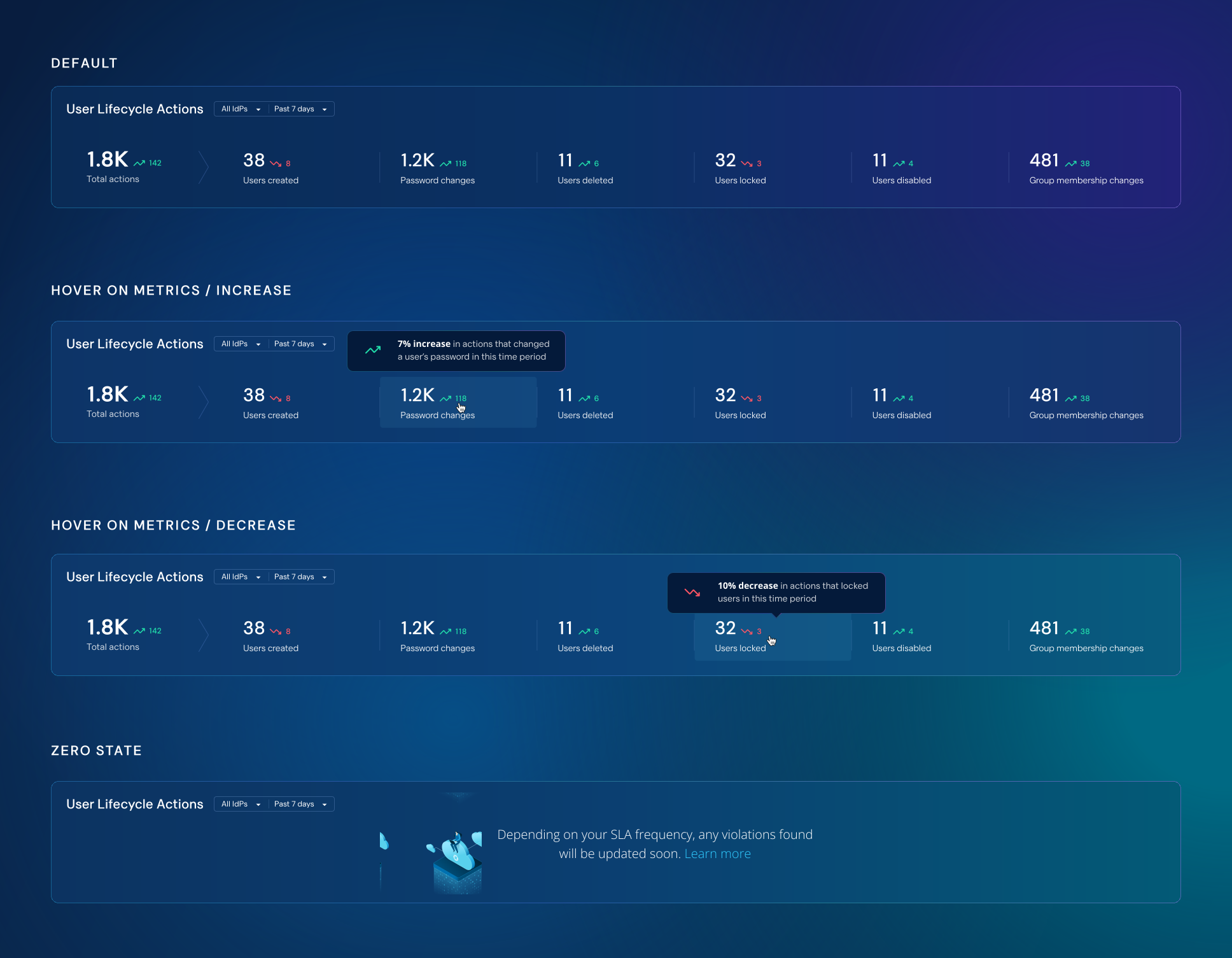
A top-level KPI summary and trend vs the selected period give an immediate sense of volume and direction, helping admins quickly spot abnormal deltas and decide what to investigate first.
Sign-In Activity
A high number of user sign-in failures can indicate an issue in the system or a potential attack attempt. The failure types can help IAM admins identify the root cause of the problem.
Goal
Dashboard Type > Operational
Provide IAM Admins with a high-level operational dashboard to validate identity system health, detect abnormal change activity early, and rapidly triage and route issues — before they become business outages or security incidents.
Design Guidelines
Design Guideline #1 Signal over data
Every widget must answer a question an IAM admin actually asks.
Design Guideline #2 Context over snapshots
Raw counts are less useful than counts with direction - deltas, trends, and period comparisons should be present on every KPI.
Design Guideline #3 Triage-first layout
The most urgent, actionable signals come first. An admin in incident mode should never have to scroll to find what matters.
Designing the activity and top actors widget
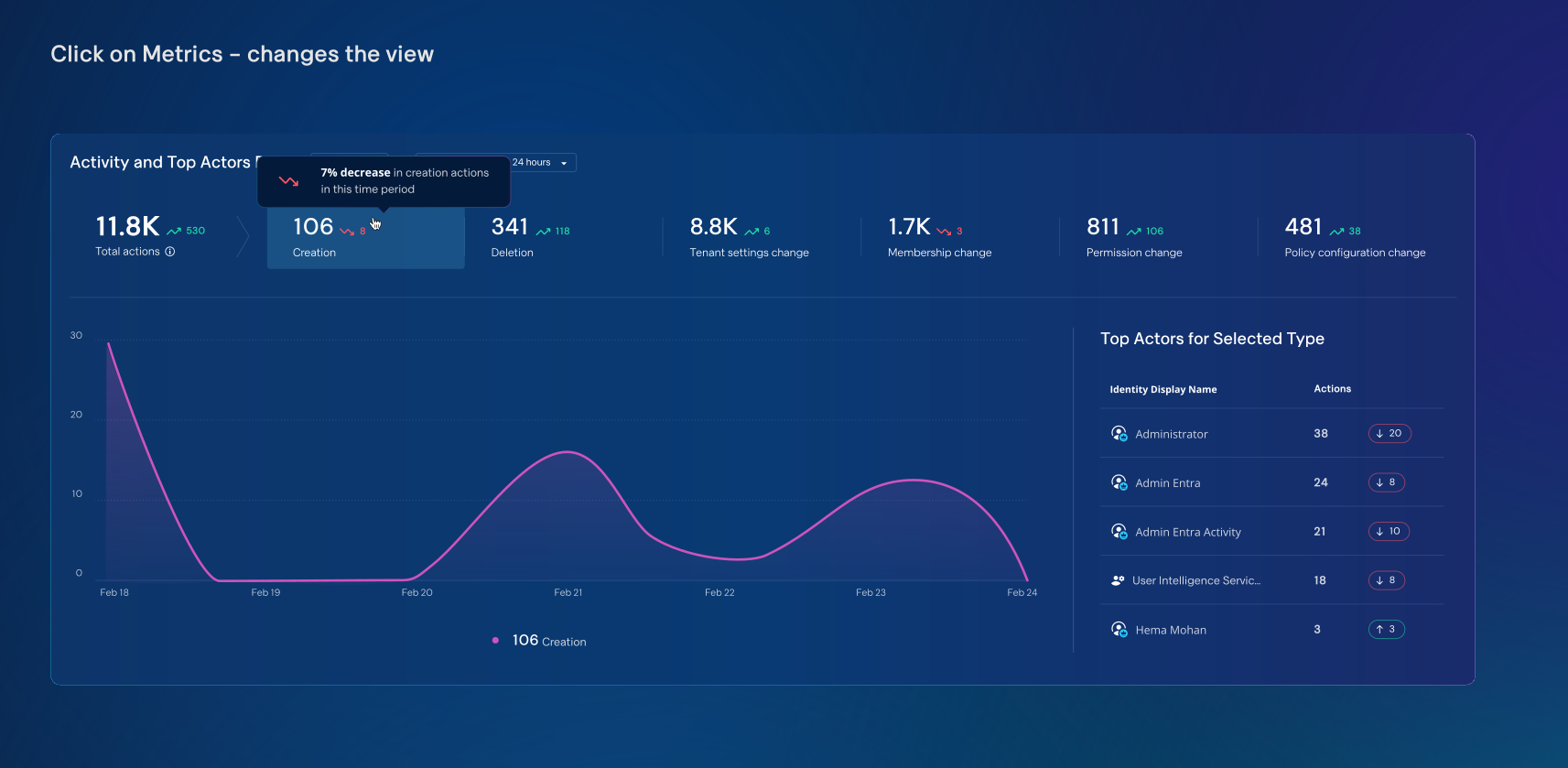
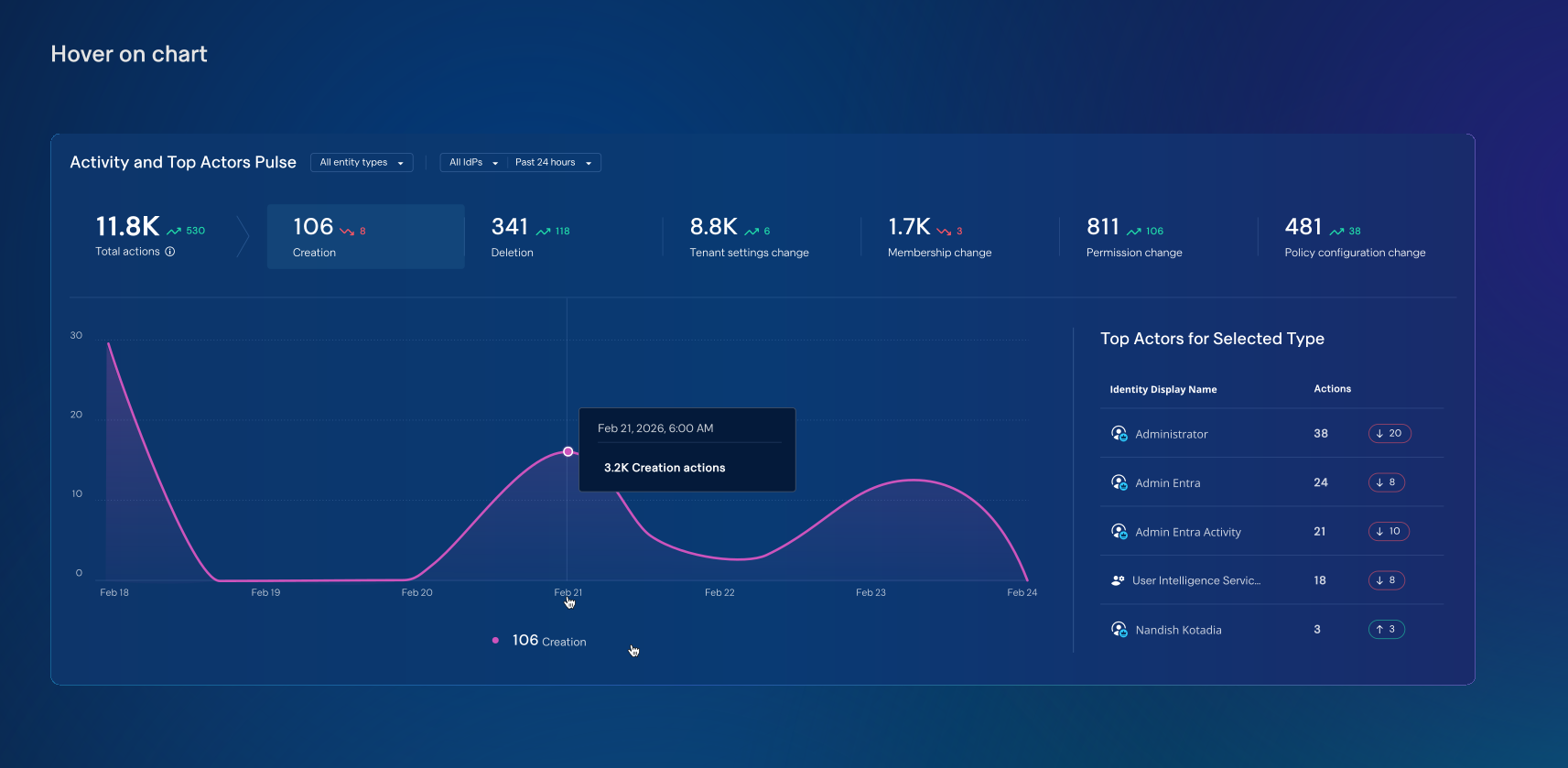
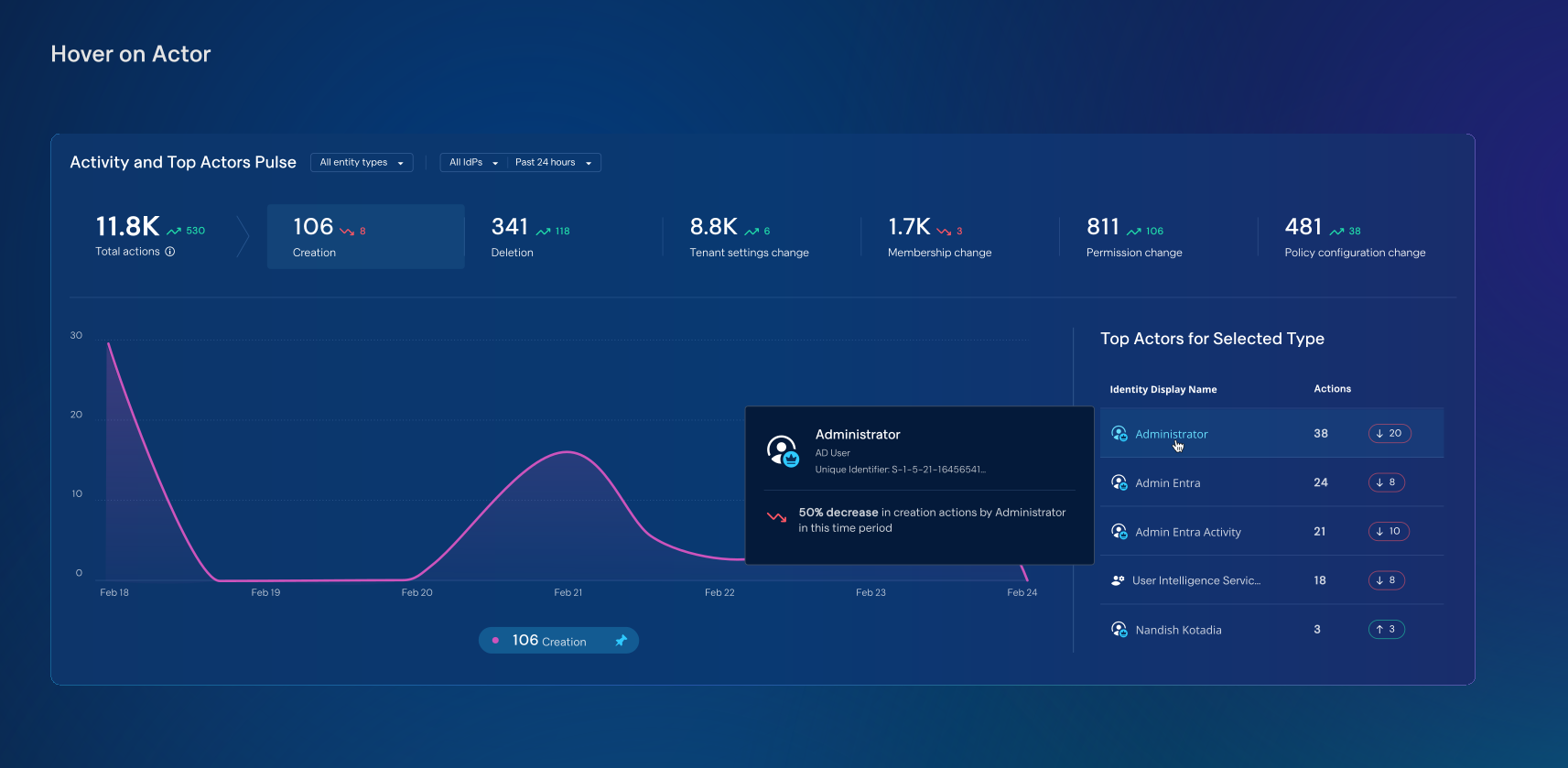
The widget helps admins identify which automation, service account, or admin is responsible for spikes or unusual behavior. They can then validate expected workflows, isolate faulty syncs or jobs, and triage operational issues faster.
Iteration 01 - Chart first, actors on hover
Design decision: Show separate trends for users and service accounts.
Reveal their top actors when the admin hovers over a point on the chart.
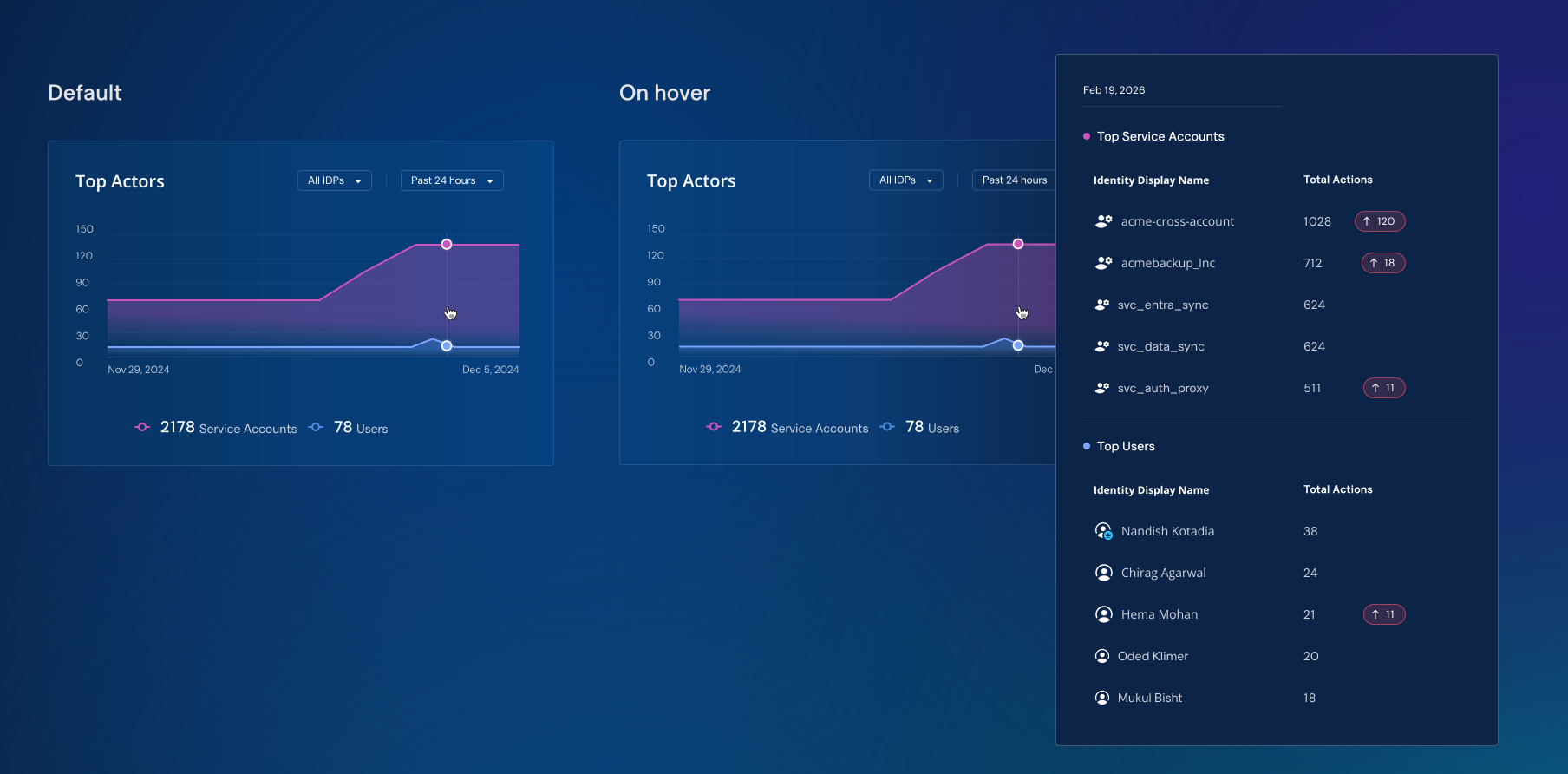
Pros
The chart makes a rise in activity visible over time. Separating users from service accounts helps the admin distinguish human activity from automation.
The default widget is relatively clean because the long actor lists appear only when needed.
Cons
The widget is called “Top Actors,” but no actor names are visible until hover. Its main answer is hidden.
The tall popover demands precise hovering and makes it cumbersome to compare actors across dates.
Iteration 2
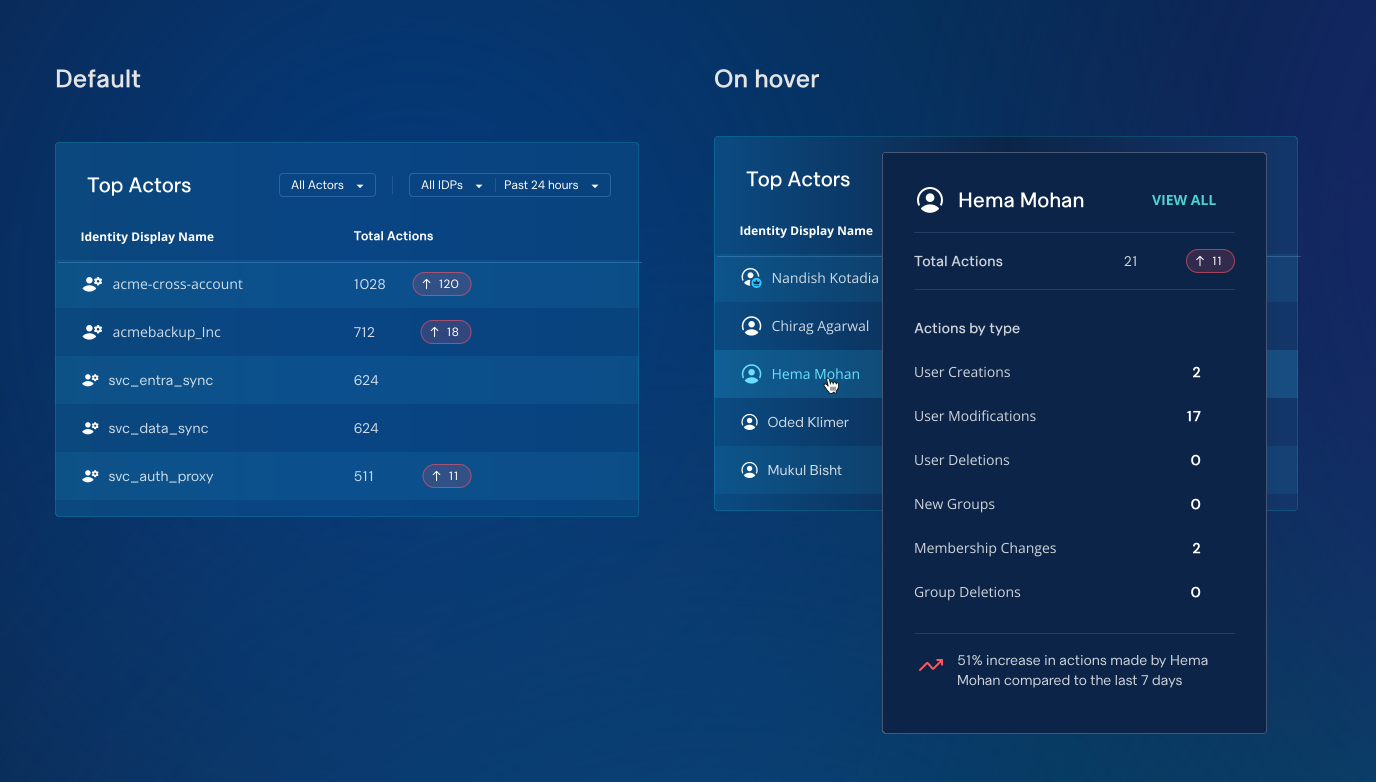
Pros
The admin can immediately answer “Who is most active?” without discovering a hover interaction.
Actor type, IdP, and time filters help narrow the list; the hover explains which kinds of changes one actor made.
Aligned names and numbers make the ranking quicker to scan than the two long lists in Iteration 1’s popover.
Cons
A high total does not show whether activity was steady throughout the period or concentrated in a spike.
The table does not show what changed until the admin opens each actor’s hover. Investigating several actors becomes repetitive.
The detailed hover panel covers much of the table and gives space to zero-count actions, making comparison harder.
Iteration 03
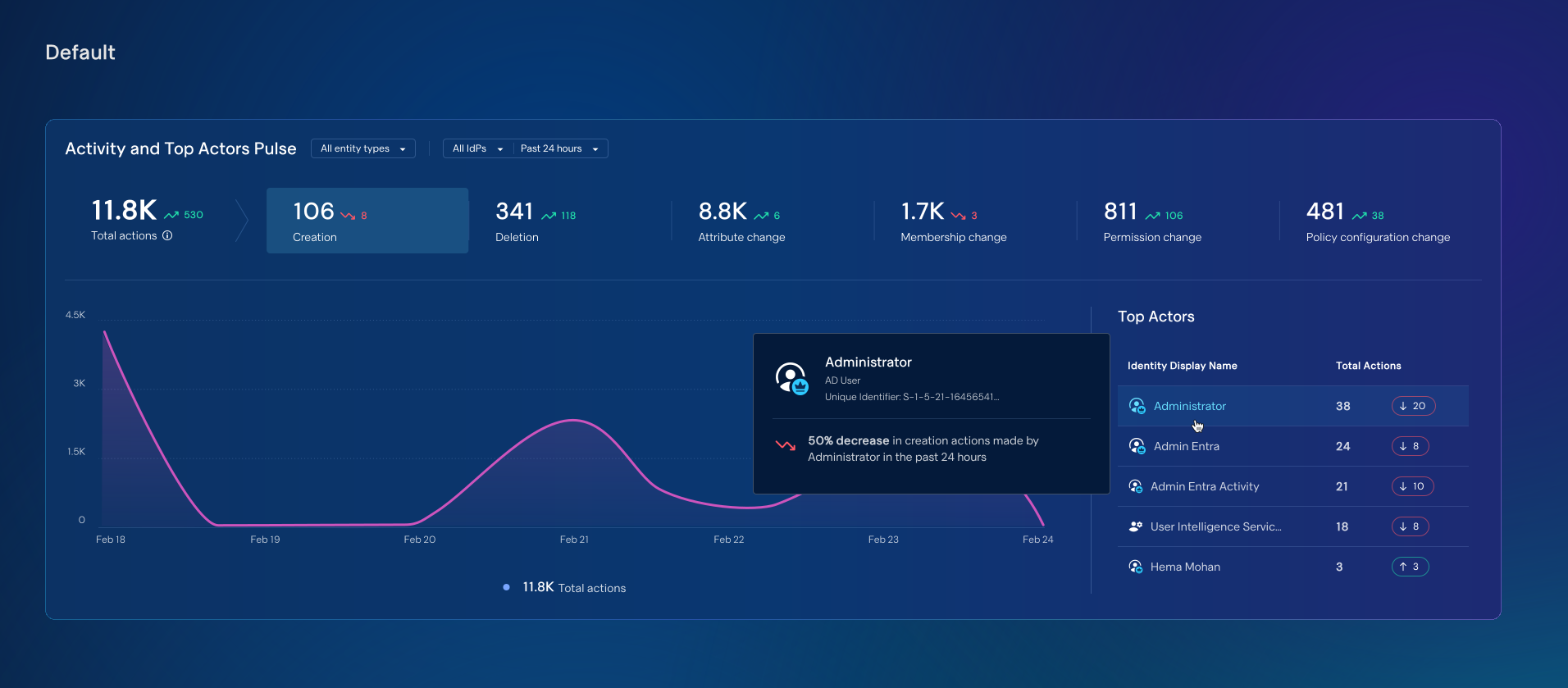
Pros
The three questions now sit together: what changed in the category metrics, when in the chart, and who in the ranked list.
Plotting one selected category at a time keeps the trend readable instead of layering many lines over one another.
Actors remain visible while the admin examines a spike. Selecting a category can focus both the chart and ranking before they open detailed activity.
Cons
The metric strip, large chart, and table take substantial dashboard space. The later page-layout work still had to balance this widget against urgent posture information.
✅ Final component/States - Activity and actor pulse
User Lifecycle actions
A top-level KPI summary and trend vs the selected period gives an immediate sense of volume and direction, helping quickly spot abnormal deltas and decide what to investigate first
User lifecycle widget
- Main question
- “What happened to user accounts?”
- Default presentation
- Compact counts and change versus the comparison period
- Next step
- Click a metric → Activity Log filtered to that action
Aggregated Metric to Filtered Parameter
| # | Metrics | Navigate to | Target Identity Type | Action Type / Action |
|---|---|---|---|---|
| 1 | Users created | Activity Log | User | 1. Action Type: Creation |
| 2 | Password changes | Activity Log | User | 1. Action: Password changes |
| 3 | Users deleted | Activity Log | User | 1. Action Type: Deletion |
| 4 | Users locked | Activity Log | User | 1. Action: Account Locked |
| 5 | Users disabled | Activity Log | User | 1. Action: Disable account or 2. Account disabled |
| 6 | Group membership changes | Activity Log | User | 1. Action Type: Membership change |
Sign-In Activity and Failures
High user sign-in failures indicates an issue in the system or a potential attack attempt and the failure types can assist IAM Admins indicate the root cause of the problem
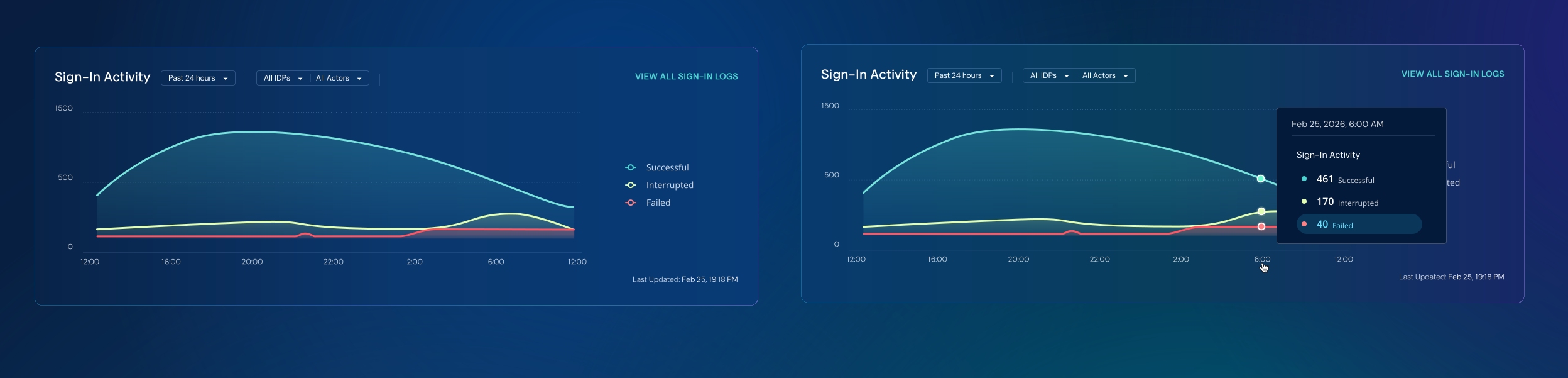
Iteration 01 - Sign-in trend only
Design decision - Start with a compact chart of successful, interrupted, and failed sign-ins to answer “When did sign-in behavior change?”
Pros
Makes spikes and time patterns visible. Filters and a link to Sign-In Logs provide an investigation path.
Limit
It cannot answer why failures occurred. The much larger success count can make a meaningful failure spike look small.
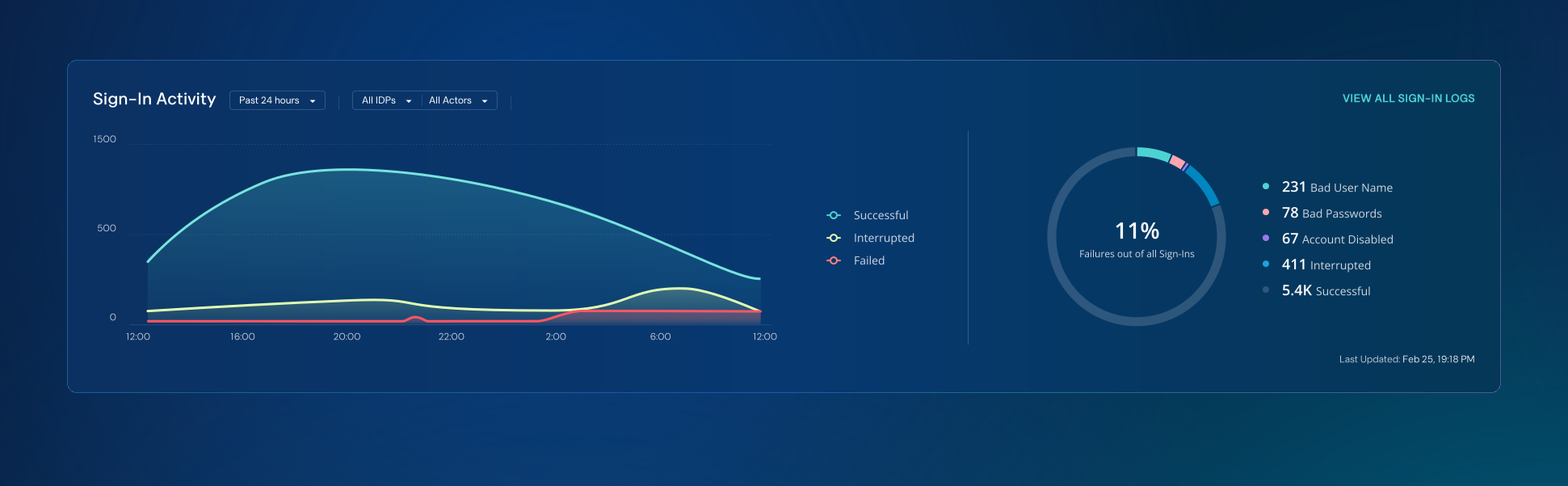
Iteration 02 - Trend + failure-type breakdown
Design decision - Add reasons beside the chart so the admin can connect when failures rose with what kind of failures occurred in one view.
Pros
Reduces the need to open logs just to distinguish credentials, lockouts, and other errors. Shows both the trend and a breakdown.
Limit
The donut includes a large remainder of successful/interrupted sign-ins, making failure slices tiny. Chart lines, colors, and breakdown labels compete for attention. Some labels are vague.
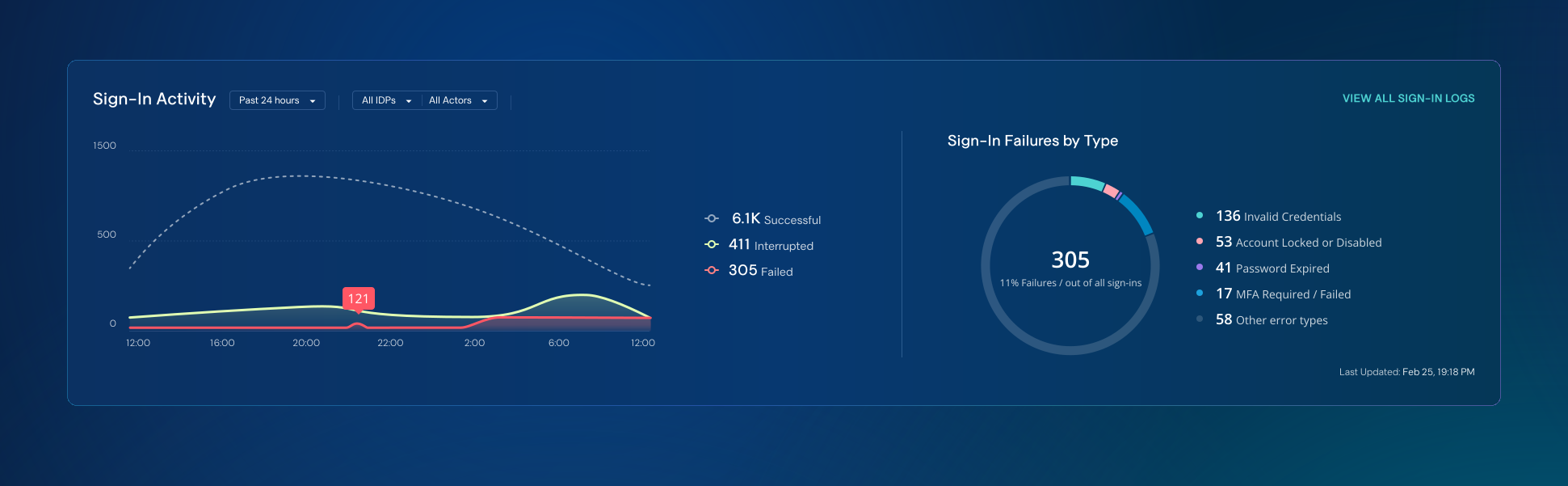
Iteration 03 - Failure focused refinement
Design decision - Keep the two-part layout, but make 305 failed sign-ins, their 11% share, and specific failure reasons the focus. De-emphasize the success trend while retaining it for context.
Pros
The admin can spot a failure rise, see likely categories, and choose whether to investigate the affected events in Sign-In Logs. Hover gives exact values at a selected time.
Limit
A failure category is not a confirmed root cause. Small slices and color-heavy labels may still be hard to read; the design needs accessibility and real-data validation.
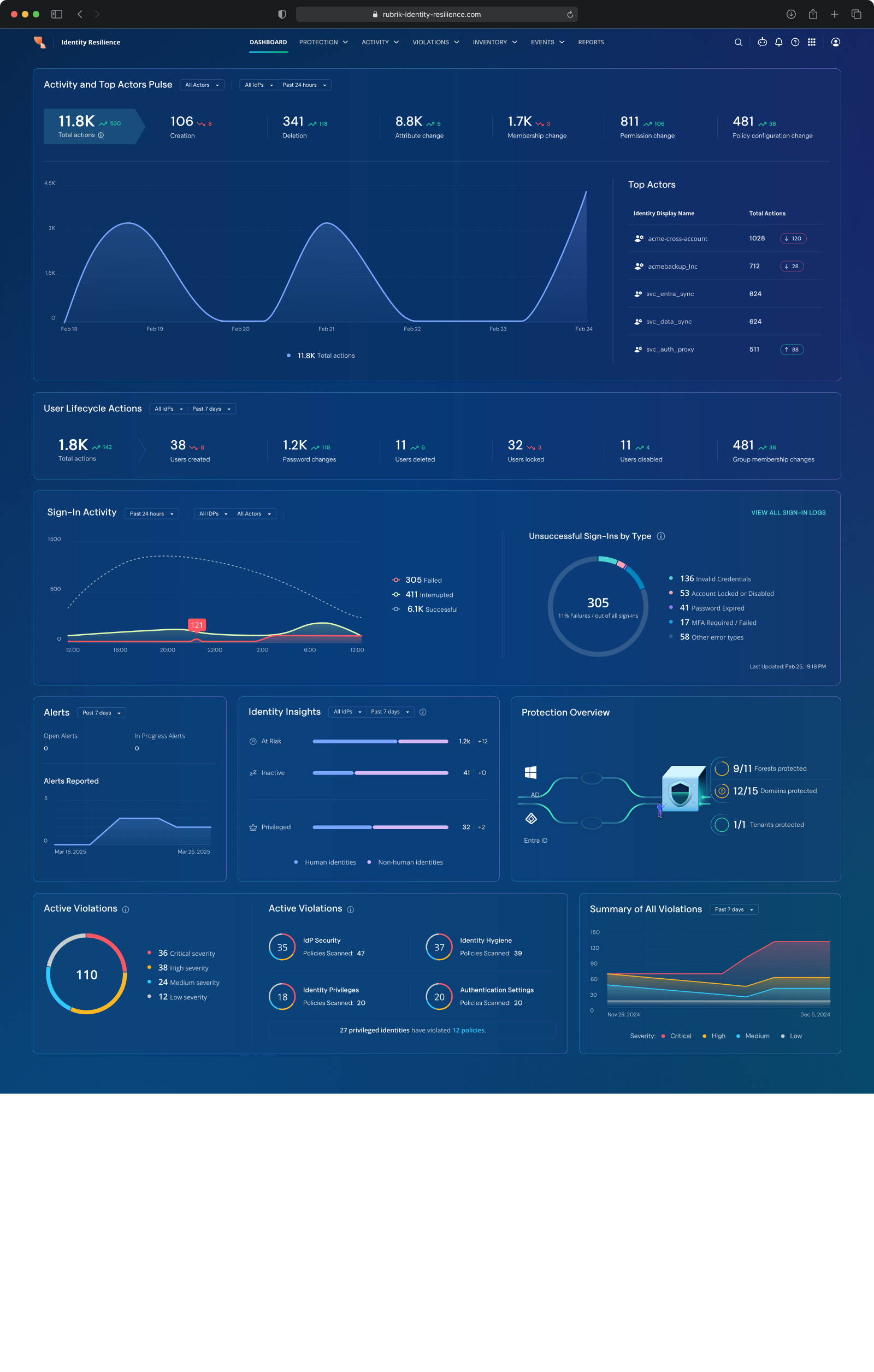
Final Dashboard 2.0
Dashboard 2.0 brings posture, protection, and recent identity activity into one view.
Admins can spot what needs attention, see when changes happened and who drove them, then move into investigation.
Impact
Observed results: 48 customer teams · 116 IAM admins · 550 revert actions
Period: 30 days before release compared with the first 30 days after release
| Measure | Before | After | Results |
|---|---|---|---|
| Median time to identify the change and actor | 5.8 min | 2.2 min | 64% less time |
| Median steps to the relevant event | 6 | 4 | 2 Steps fewer |
| Median time for a routine investigation and targeted revert | 12 min | 8 min | 33.33% less time |